Tool · Photo to video
Turn a product photo into a video clip
Upload one photo of your product. It becomes the first frame of a short clip, and the model moves the camera, the light and the product the way you describe.
From€0.276 tokens
A 5-second clip from your photo starts at €0.27 with MiniMax H3 Max (480p). Each model has its own price, listed below, and the studio shows the exact one before you press Generate. If a clip fails, its price goes back on your balance.
Free account · top up from €2 · a failed video costs nothing · we email you a link to set your password
Already have an account? Open it
- Your photo is frame one, so the clip starts with your real product
- Add a last frame on the models that take one, to choose where it ends
- Set the length and the shape: tall for TikTok and Reels, wide for a website
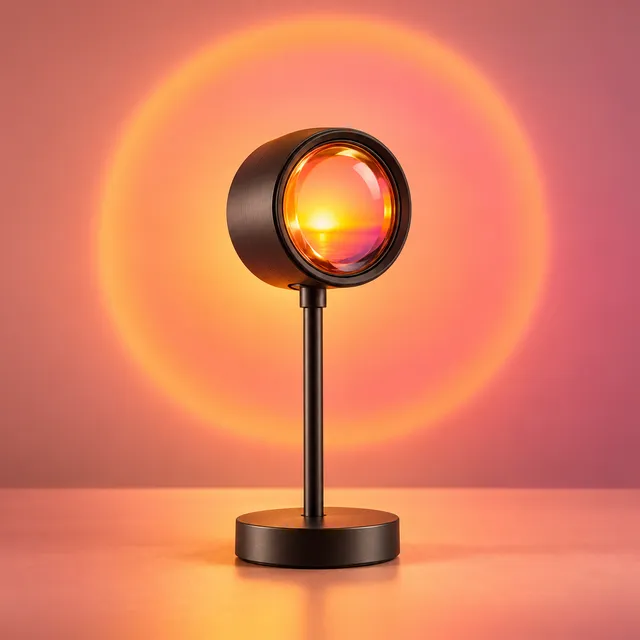
Frame one: your photo
Clip starts hereHow it works
Three steps in Custom Video

 1
1Pick a model
Open Custom Video and choose a model. Each one shows its price for the length and quality you set.
 2
2Add your photo and say what moves
Attach the photo as the start frame. Describe the motion in one or two plain sentences: the camera, the light, what the product does.

 3
3Generate
Choose the length, the shape and the sound, then press Generate. The clip lands in your Library, ready to download.
Before you start
What makes a good start photo
Use a sharp photo with the whole product in view and a little space around it. The model has to invent anything outside the frame.
Plain or simple backgrounds give the cleanest motion. A busy shelf gives the model more to move by mistake.
Match the shape of the clip. A tall photo suits a tall clip; a square photo works too, with the sides filled in.
Prices
What a clip costs on each model
The lowest price per clip of every model that starts from a photo. Longer and sharper clips cost more.
| Model | From | Per second | Lengths | End frame |
|---|---|---|---|---|
| Veo 3.1 | €0.276 tokens4 s · 720p | €0.068a second | 4–8 s720p | Yes |
| MiniMax H3MiniMax H3 Max | €0.276 tokens5 s · 480p | €0.054a second | 5–15 s480p, 768p, 2K | Yes |
| Seedance 2.5 | €0.3287 tokens5 s · 480p | €0.066a second | 5–30 s480p, 720p | Yes |
| Kling 3.0 | €0.5412 tokens5 s · 720p | €0.108a second | 5–15 s720p | Yes |
| Seedance 2.0Seedance 2.0 720p | €0.58513 tokens5 s · 720p | €0.117a second | 5–15 s720p, 1080p | Yes |
Before VAT. Every price is a whole number of tokens, read live from the studio.
Prompts
Motion ideas to copy
Slow push in on the product. Soft morning light moves across the table.
CalmThe camera circles the product once and stops on the front label.
OrbitFast pull back from the logo to show the whole product on a kitchen counter.
RevealPetals drift down around the bottle. The bottle and the background stay still.
MoodA hand reaches in and turns the product to face the camera.
HandThe room goes dark, then the product lights up from inside.
Night
Keep one motion per clip. The less you ask to move, the closer the product stays to your photo.
Plans
A free account or a plan
A clip costs the same on every plan. A plan removes the wait and adds Lite tokens for the AI tools, Make It HD among them.
| Free | Basic | VIP | Platinum | |
|---|---|---|---|---|
| Queue | First 10 videos start at once, then each waits 2 min | No queue | No queue, ahead of Basic | No queue, first in line |
| Make It HD | €0.050 per second, from your balance | Up to 1,040 seconds a month | Up to 3,558 seconds a month | Up to 12,409 seconds a month |
Who it is for
Made for people with product photos and no time to film
Stores with studio shots
Every catalogue photo you already have can become a short clip for a product page or a post.
Sellers testing creatives
Make a few different motions of one product and keep the one people stop for.
Freelancers and agencies
Turn a client's product photos into clips without booking a shoot.
Questions, answered
Does the product stay the same as in my photo?
The clip starts exactly as your photo looks. As things move, small details such as the print on a label can drift. Short, simple motions keep it closest.
Can I choose how the clip ends?
Yes, on the models that take an end frame. Attach a second picture as the last frame and the clip moves from one to the other. The price table shows which models take one.
How long can a clip from a photo be?
It depends on the model: from 4 seconds up to 30 seconds on the longest one today. The table shows the lengths of each.
Which model should I try first?
Test your idea and your words on the lowest-priced model. When a motion works, make it again on a sharper model for the version you post.
Can I use the clip in my ads?
Yes, the clip is yours to use, in ads too. Upload only photos you own, and none that show a person without their permission.
Does it work without a photo?
Yes, Custom Video also makes clips from words alone. For a product a photo works far better, because the model sees the real thing.
Can I make the clip sharper afterwards?
Yes. Make It HD doubles the size of a finished clip for €0.050 a second of video. A plan pays for it from its Lite tokens.
Your product photo, moving
Make a free account, top up a little and try one clip on the model you like.
Turn my photo into a clipFree account · top up from €2 · a failed video costs nothing · we email you a link to set your password
Already have an account? Open it